Skip to content

Birdsuite Sign

Sign PDFs without uploading them

Sign PDFs without uploading them: draw or type, place, download. Simple electronic signature.

  • No upload
  • No account
  • Free

Alternative to Smallpdf, PDF24, Adobe Fill & Sign
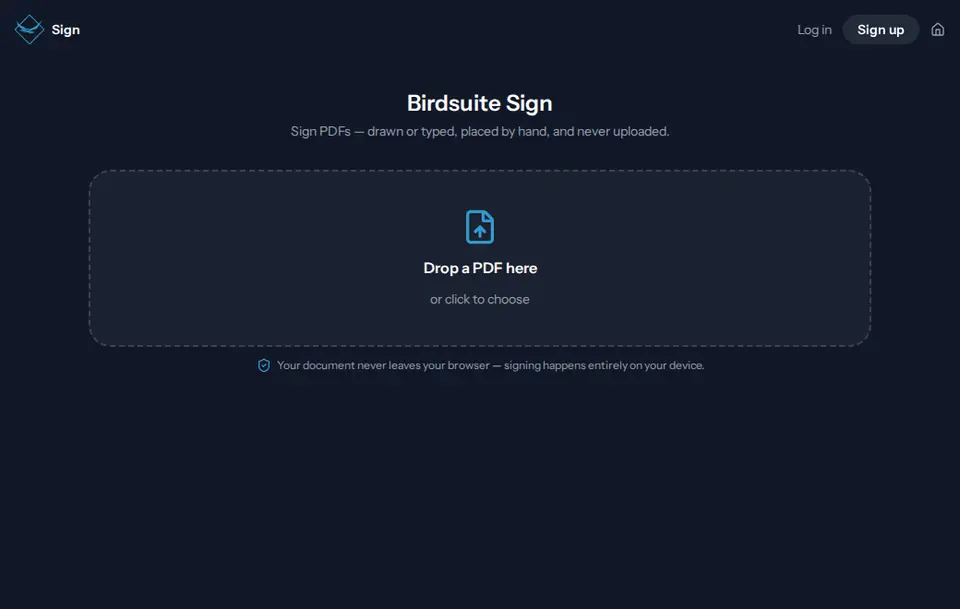
Start page of Birdsuite Sign in the browser

Free

Free: what Birdsuite Sign does without a subscription

Sign as many PDFs as you like

Included for free

  • Draw or type your signature
  • As many signatures as you like, on any page
  • Download the signed PDF or send it via Transfer
  • No ads, no upload

Free, with no catch

  • No account Open the tool and start. No sign-up, no email address, no password.
  • No ads No banners, no pop-ups, no sponsored results — in the free plan too.
  • No tracking No tracking cookies, no profiles. We only count visits, cookieless and with shortened IP addresses.
  • Stays on your device Your files are processed in your browser and never uploaded.
  • No payment details No credit card and no trial: the free plan stays free for as long as you use it.

There is no paid plan: everything Birdsuite Sign does is free, with no trial that runs out.

Open Sign for free

Birdsuite Sign is a free web tool by Berlin Bird Studios for signing PDFs right in your browser: draw or type your signature, place it, download. The document is never uploaded and you need no account. Sign creates a simple electronic signature (eIDAS Art. 3(10)); it is not suitable where German law requires written form (§ 126 BGB).

The problem

A quote or a consent form has to go back signed, and there is no printer around. Printing, signing and scanning takes time, and many online tools want your PDF on their server first.

The solution

With Birdsuite Sign you open the PDF in your browser, put your signature in the right spot and download the finished document. Everything happens on your device; the PDF never reaches our server.

How it works

  1. 1

    Open the PDF

    Drop your PDF onto the page or pick it. It only opens in your browser.

  2. 2

    Draw or type your signature

    Draw with a mouse, finger or pen, or type your name in a script font.

  3. 3

    Place and download

    Click the right spot, move and resize the signature, and download the signed PDF.

Features

No upload

pdf.js renders the PDF and pdf-lib adds the signature — both run in your browser. The document stays on your device.

Draw or type

Sign with a mouse, finger or pen on the signature pad, or type your name and Sign sets it in a script font.

Free, no account

No sign-up, no ads, no subscription. Open the page and start.

Place it anywhere

Click a spot in the document, drag the signature into place and resize it from the corner. Wrong spot? Just remove it.

Several times, on any page

Place the signature as often as you like and on any page, for example as initials on every page of a contract.

Send via Transfer

If you like, the signed PDF goes straight to Birdsuite Transfer and from there to your recipients as a link.

Fill first, then sign

Fill in forms with Birdsuite Fill, then sign them with Sign — neither uploads your file.

Data and privacy

Processing
Entirely in your browser. pdf.js renders the PDF and pdf-lib writes the signature into it; neither the document nor your signature is sent to our server.
Storage
Nothing. Sign stores neither your PDF nor your signature, not even in your browser — close the tab and it is gone. We only count anonymously how many documents are signed per day. Only if you choose "Send via Transfer" does Birdsuite Transfer upload the finished PDF to servers in the EU (Germany and France).
Processors
None. Your document reaches no service provider; only the page itself is delivered by our host, Host Europe in Strasbourg, France.

Test it yourself: Test it yourself: open your browser's developer tools (Network tab) and sign a PDF. Your document never shows up there as an upload — only the parts of the Sign app are loaded.

How we process data, tool by tool Privacy policy (German)

Pricing

Free – no subscription

Sign as many PDFs as you like

  • Draw or type your signature
  • As many signatures as you like, on any page
  • Download the signed PDF or send it via Transfer
  • No ads, no upload

Sign has no paid plan. There is no limit from our side; very large files only depend on your device.

All plans at a glance

What Sign can’t do

  • No advanced or qualified electronic signature (AdES/QES) — not enough for documents that legally need written form.
  • No signing workflow: no invitations, no reminders, no status and no audit trail.
  • No identity check: Sign does not know who is signing.
  • Sign cannot open password-protected (encrypted) PDFs.
  • PDFs that already carry a digital signature: Sign rewrites the file, so existing digital signatures are no longer valid afterwards.

Birdsuite Sign compared

Criterion Birdsuite Sign Typical online PDF tools
PDF is uploaded No, it stays in your browser Usually yes
Account needed No Sometimes, e.g. to download
Ads None Some are ad-funded
Limit per day or hour None from our side Sometimes
Signature level Simple electronic signature Signing services also offer AdES or QES
Workflow with several signers No Signing services: yes

Last updated: 21 October 2026

Who is it for?

Freelancers

Sign quotes, order confirmations and agreements without a form requirement, and send them straight back.

Parents and clubs

Sign consent forms, registrations and confirmations without a printer or scanner.

Small teams

Approve internal documents, delivery notes and minutes — confidential PDFs stay on your own computer.

from €6/month

Birdsuite Transfer

Send large files without an account — free up to 5 GB, up to 1 TB per transfer with Max. Stored in Germany, with download notifications.

No account

Alternative to WeTransfer, SwissTransfer, Smash

More about Transfer Open Transfer

Free

Birdsuite Fill

Fill PDF forms right in the document — no printer, no upload, optionally lock the fields when saving.

No upload No account

Alternative to Adobe Reader, PDF24

More about Fill Open Fill

Free

Birdsuite Bill

Read e-invoices: open XRechnung and ZUGFeRD in your browser, check the totals and print — no upload, no software subscription.

No upload No account

Alternative to ELSTER viewer, sevdesk viewer

More about Bill Open Bill

Category: PDF & documents

Frequently asked questions

Is my PDF uploaded?
No. Sign opens, signs and saves the PDF entirely in your browser. Our server only delivers the page and counts anonymously how often a document was signed — no content, no file name.
Is the signature legally valid?
It is a simple electronic signature: fine for many everyday documents, but not for everything. Under Art. 25(1) of the eIDAS Regulation, an electronic signature must not be denied legal effect solely because it is electronic or not qualified. So it can be enough for contracts without a form requirement; how much it proves in a dispute is up to the court. Where German law requires written form (§ 126 BGB), it is not enough. This is not legal advice — if in doubt, ask a lawyer.
When do I need a qualified electronic signature?
When the law requires written form and you want to replace it electronically. In Germany that takes the electronic form with a qualified electronic signature (QES, § 126a BGB), for example to end a residential lease or for a consumer loan agreement. Some declarations cannot be made electronically at all, such as ending an employment contract (§ 623 BGB) or a guarantee (§ 766 BGB) — those need pen and paper. Sign does not create a QES. Not legal advice.
What is the difference between an electronic and a digital signature?
"Electronic signature" is the legal umbrella term; "digital signature" usually means the cryptographic technique with a certificate. The eIDAS Regulation has three levels: simple, advanced and qualified. Sign places an image of your signature in the PDF, which is a simple electronic signature — no certificate and no cryptographic seal.
Can several people sign?
Yes, one after another. The first person signs and sends the PDF on, for example via Birdsuite Transfer; the next one opens it in Sign and signs as well. There is no workflow with invitations, reminders or status.
Does Sign cost anything?
No. Sign is free, needs no account, shows no ads and has no paid plan. There is no limit from our side; very large PDFs only depend on your device.

Ready? Birdsuite Sign runs right in your browser.

Last updated: 21 October 2026

Open Sign – free